
Get Started
The New Hampshire Special Supplemental Nutrition Program for Women, Infants, and Children (WIC) Food Guide lists all the New Hampshire WIC-approved foods. Use this food guide with your WIC Benefit Balance list and eWIC card to purchase healthy foods for you and your family.
Activate Your eWIC Card
- Call the customer service number on the back of your card.
- Enter the 16-digit card number, ZIP Code, and date of birth of the primary cardholder.
- Choose a 4-digit personal identification number (PIN). After you choose a PIN, your card is ready to use. Only give your card number and PIN to people you trust. Don’t write your PIN on your card.
 If your card is lost, stolen, or damaged, call your WIC office for a replacement. Your WIC benefits will be transferred to the new card.
Check Your WIC Benefit Balance
- Get a printout at your WIC office.
- Check your last store receipt.
- Ask customer service or a cashier at the store to print your WIC Benefit Balance.
- Call the customer service number on the back of your card.
Find a WIC-Approved Store
- Visit dhhs.nh.gov/wic#stores
- Use the free WICShopper app.
- Look for the New Hampshire WIC Accepted Here sign near the front of the store.
- Ask your WIC office for a store list.

Check your WIC Benefit Balance before shopping. Not every food included in this booklet is on your WIC Benefit Balance list.
Shop With Your eWIC Card
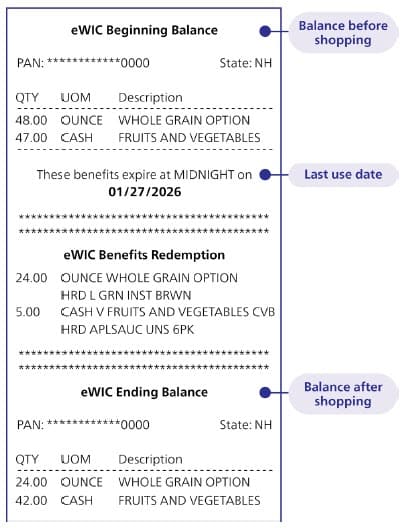
- Check your WIC Benefit Balance and the first and last dates that you can buy WIC foods for the month. Your WIC benefits do not carry over from month to month. They end at midnight on the last use date listed on your store receipt, WIC Benefit Balance, and WICShopper app. If you need help finding your last use date, call your WIC office.
- At the store, shop for WIC-approved foods. Use this guide or scan items with the WICShopper app to make sure you choose WIC-approved foods.
- For large orders, count the number of WIC items in your cart before checking out. Buying more than 40 WIC items at one time can cause the sale to decline. Split your larger WIC orders into two purchases, if needed.
- Bring your items to checkout. Look for a checkout lane with a cashier. You do not need to tell the cashier you are using an eWIC card. To find stores that allow WIC purchases at self-checkout, visit dhhs. nh.gov/wic#stores.
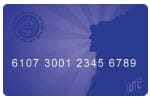
- Swipe your eWIC card. Always use your eWIC card before other forms of payment, such as cash, credit, debit, or SNAP.
- Enter your PIN. If you enter the wrong PIN four times in one shopping trip, your card will lock. To unlock your card, call your WIC office or wait until the next day for it to unlock automatically.
- Approve your purchase. The pin pad or printed receipt lets you check that WIC items have been removed from your WIC Benefit Balance before approving your purchase.
- Take your eWIC card and save your store receipt. Your receipt shows what you bought and the balance left on your card.
Fruits and Vegetables

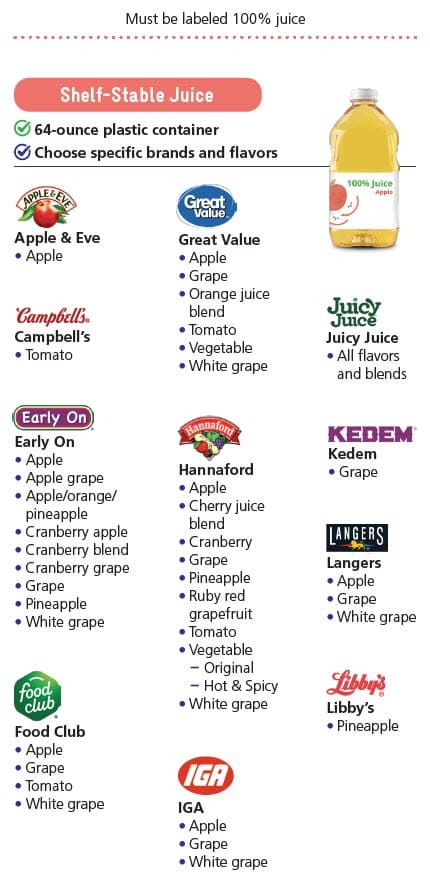
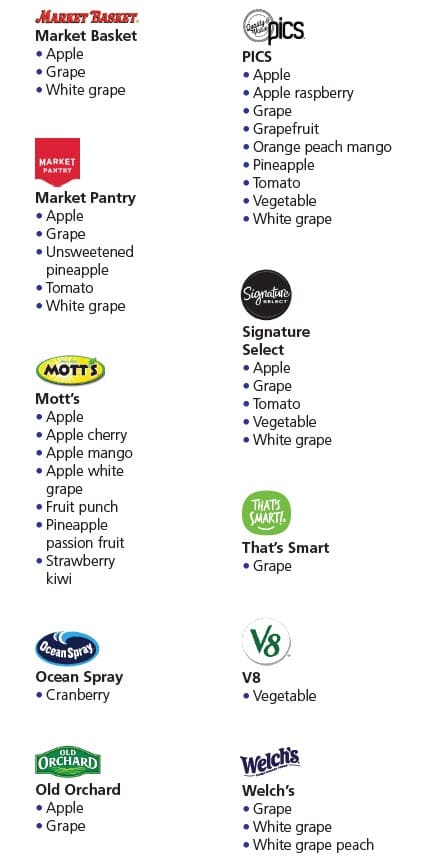
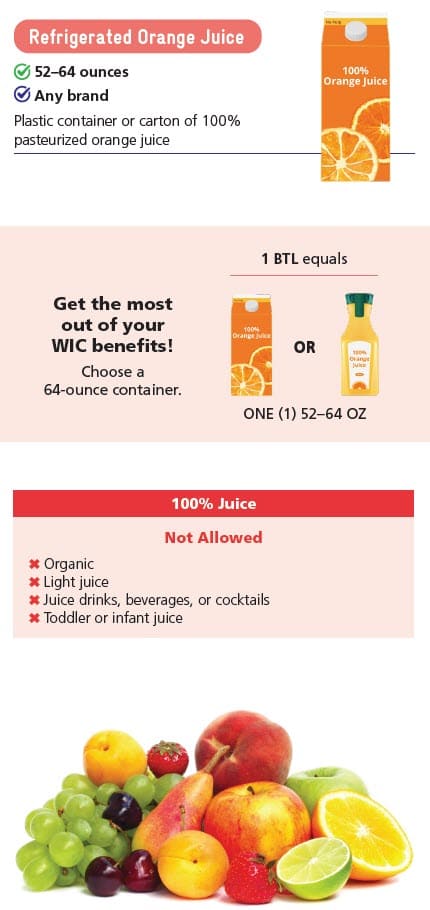
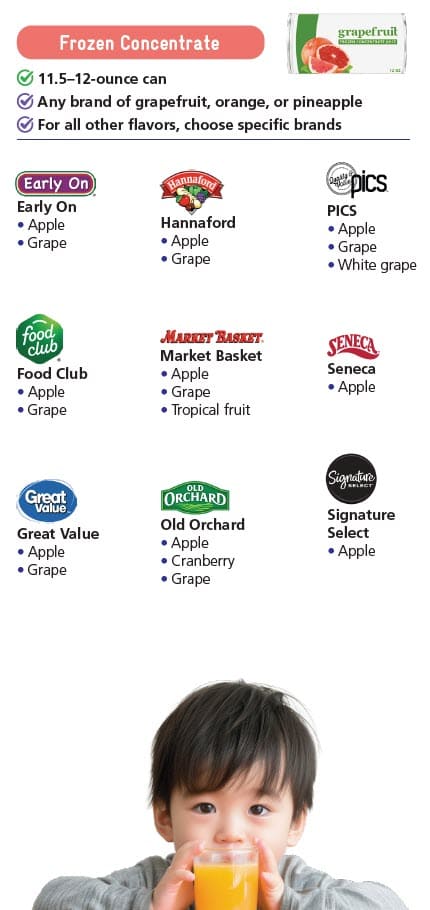
100% Juice
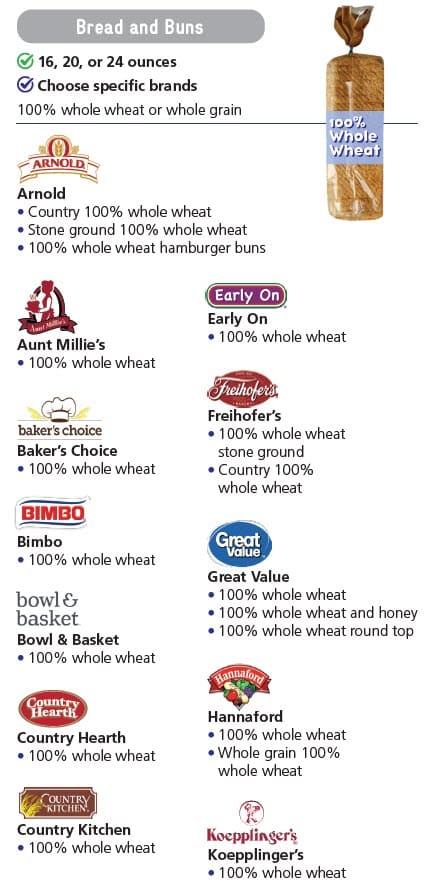
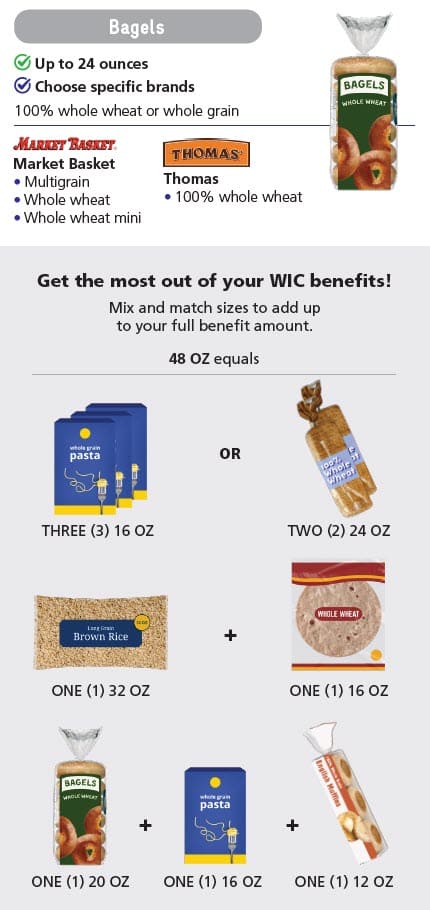
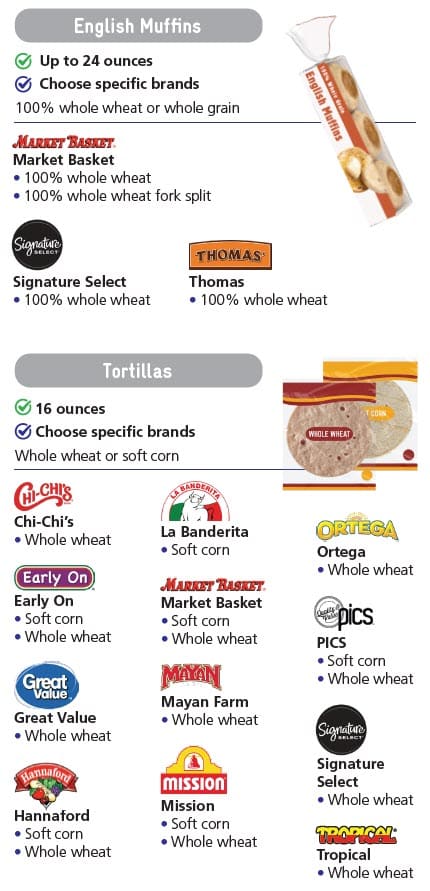
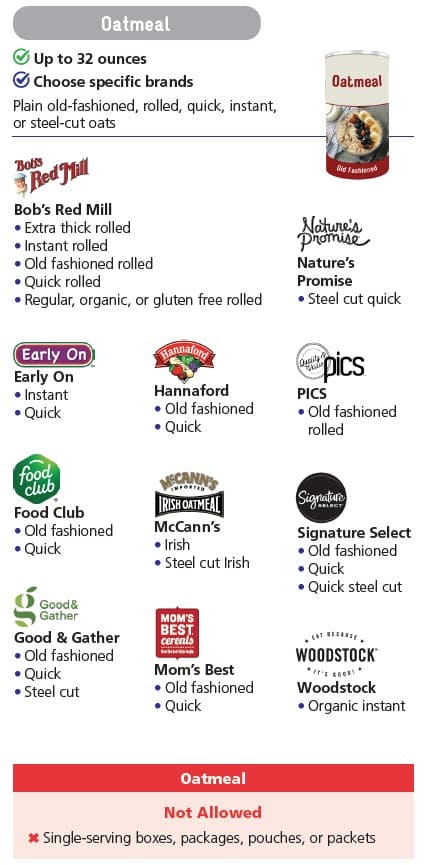
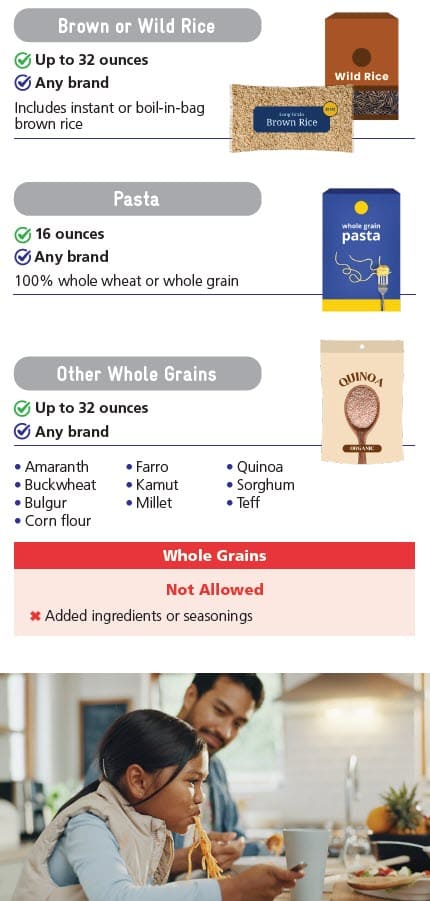
Whole Grains

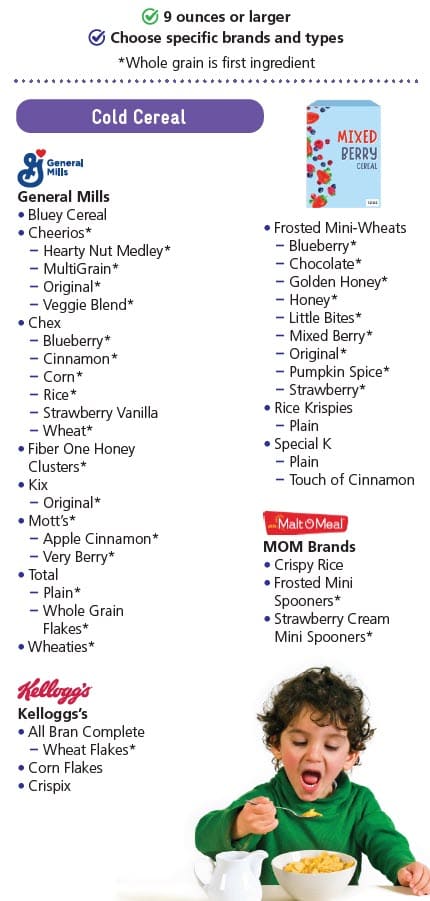
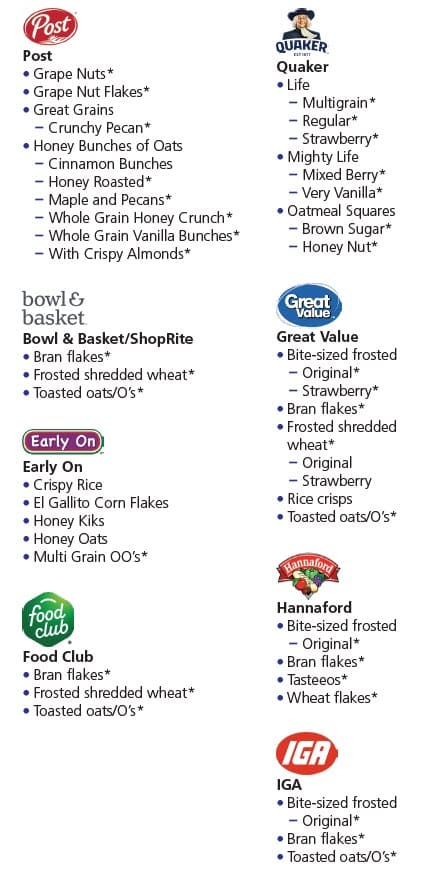
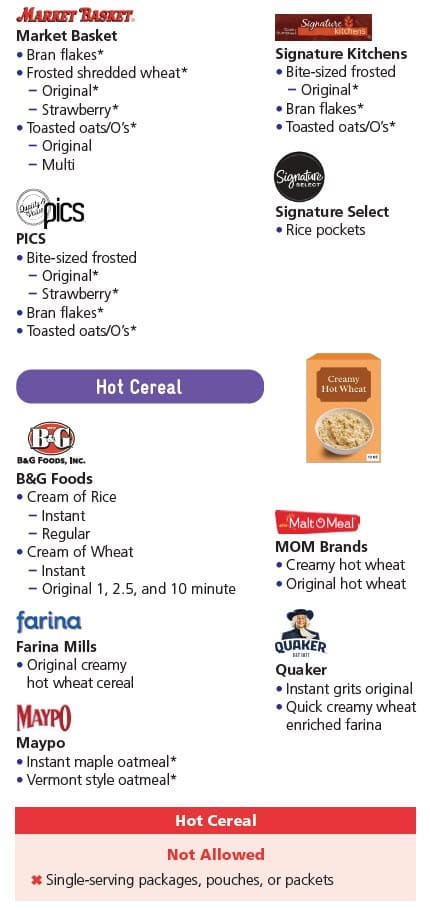
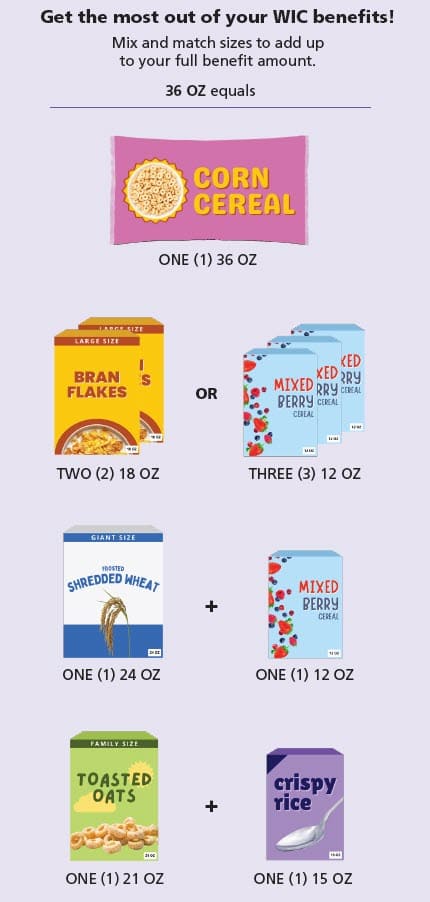
Cereal
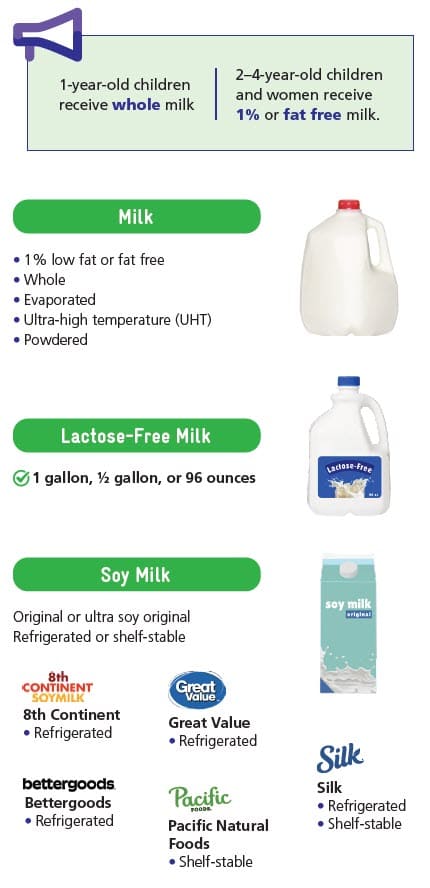
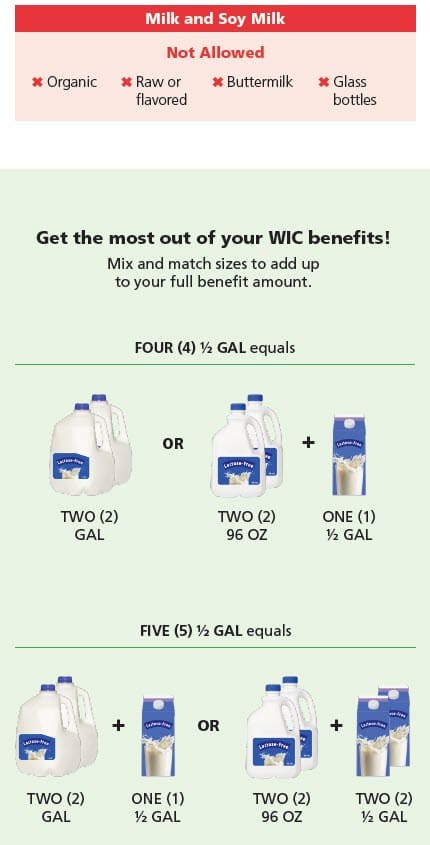
Milk and Soy Milk
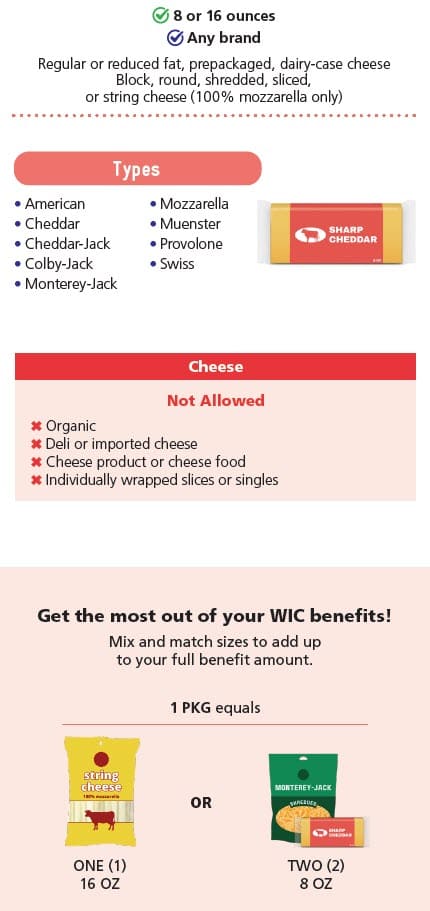
Cheese
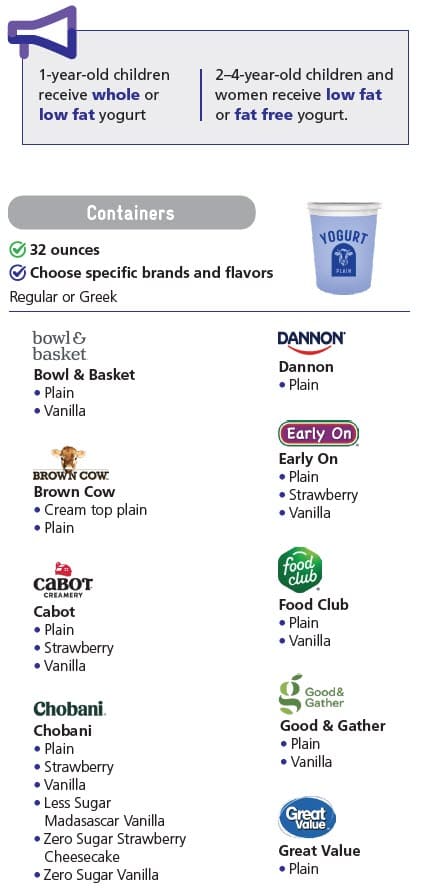
Yogurt
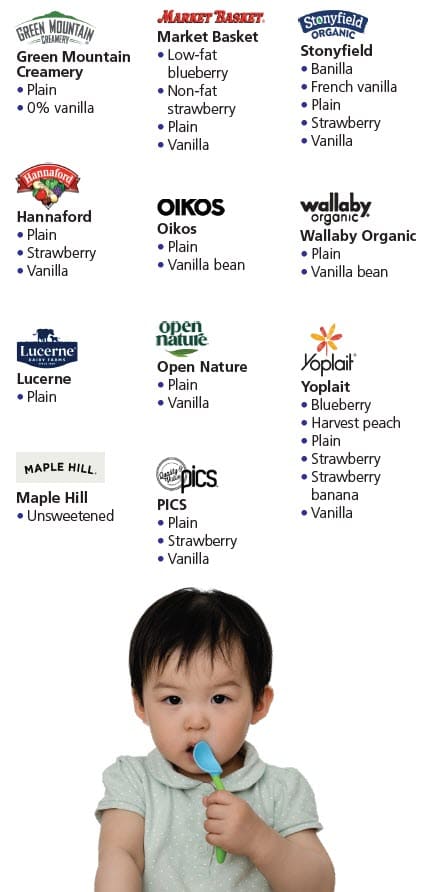
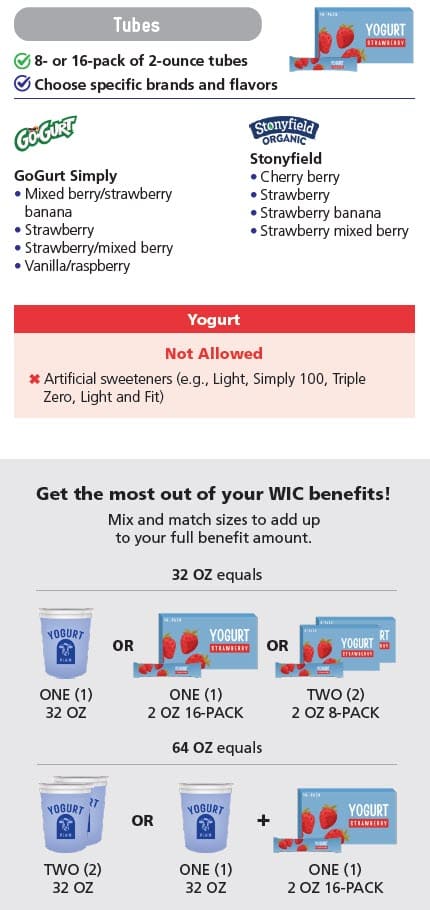
Tofu
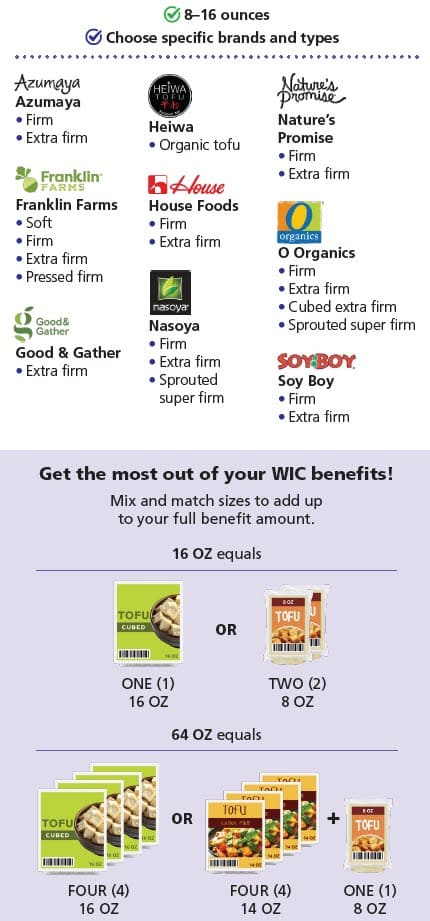
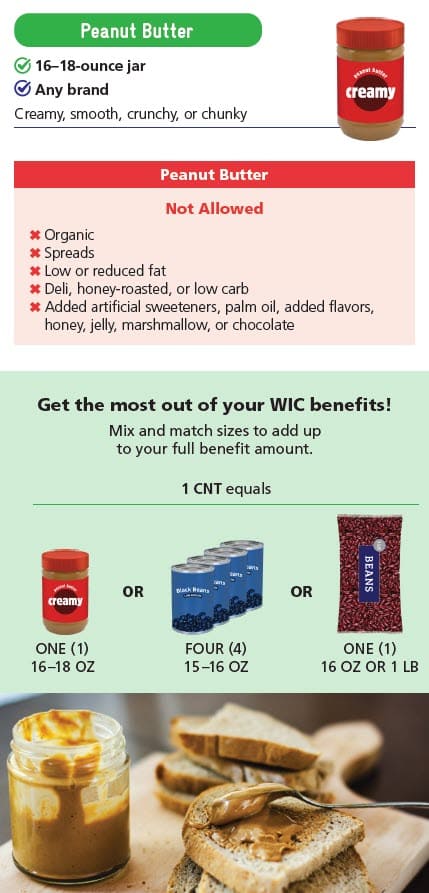
Beans, Peas, Lentils, and Peanut Butter
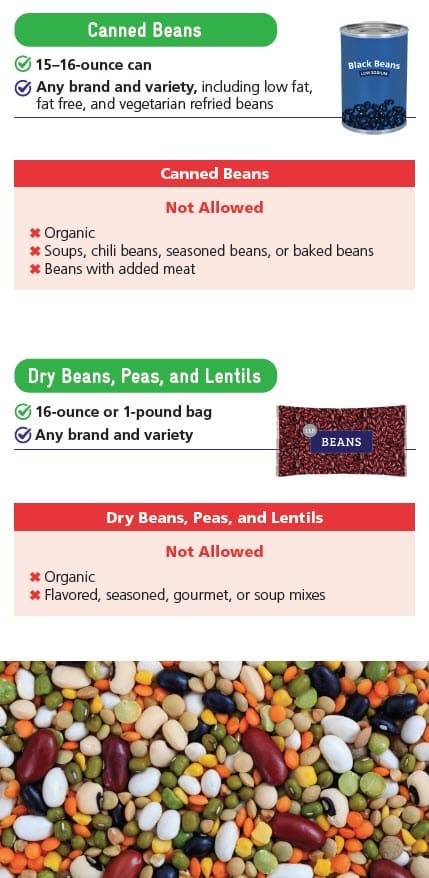
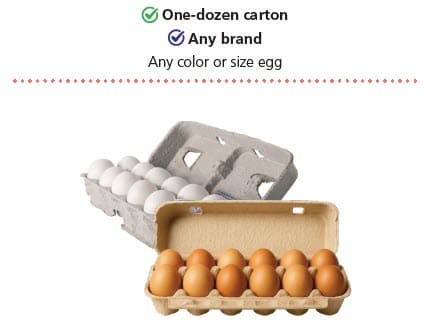
Eggs
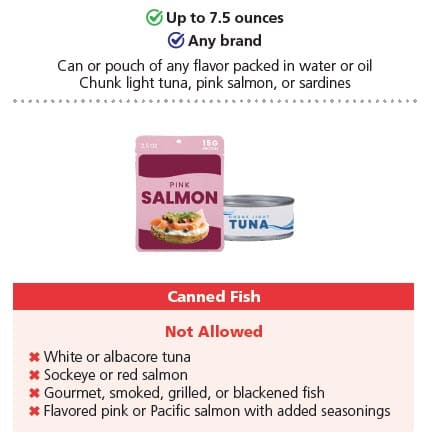
Canned Fish
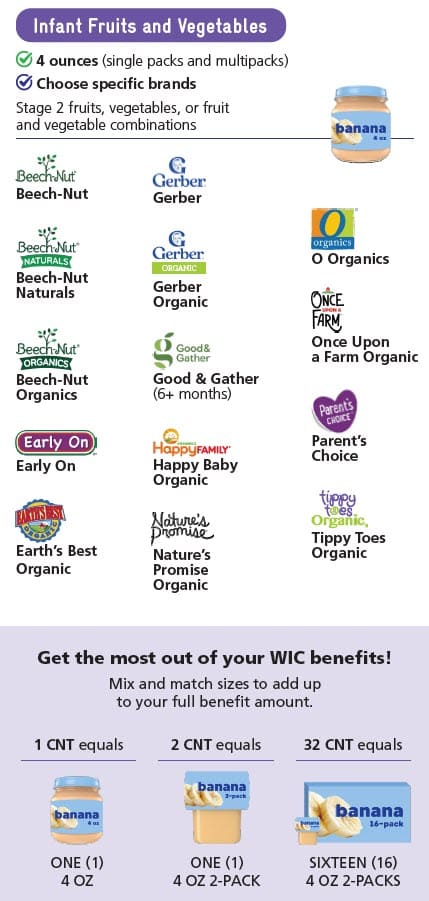
Infant Foods
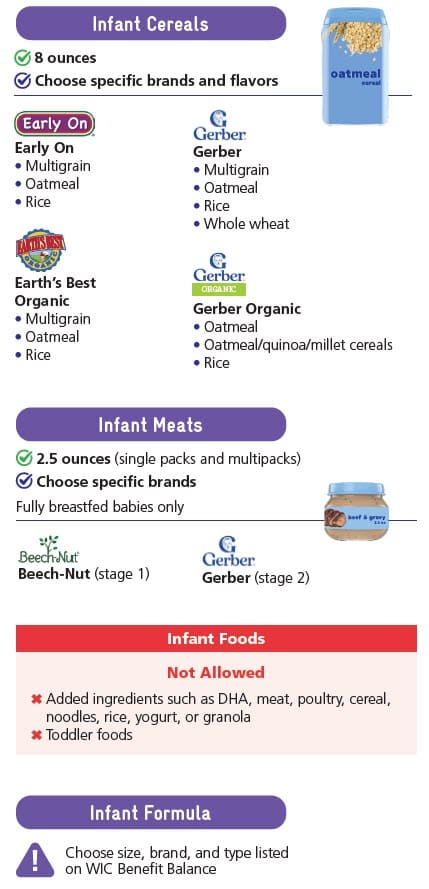
Food Options With Medical Need
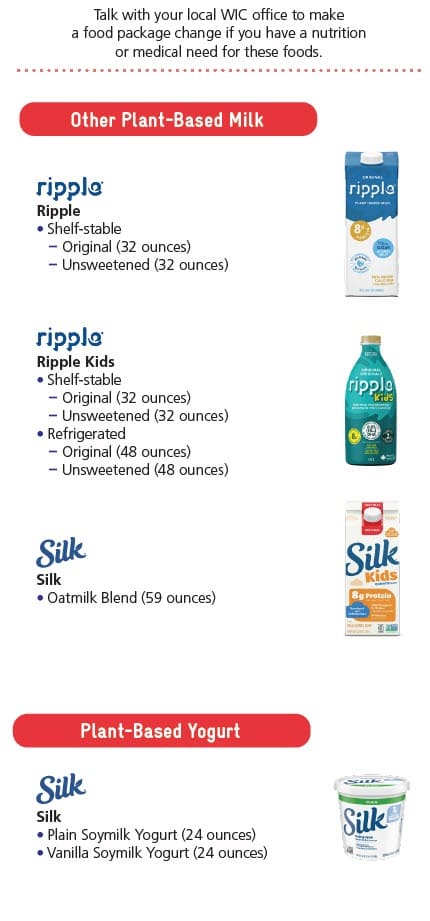
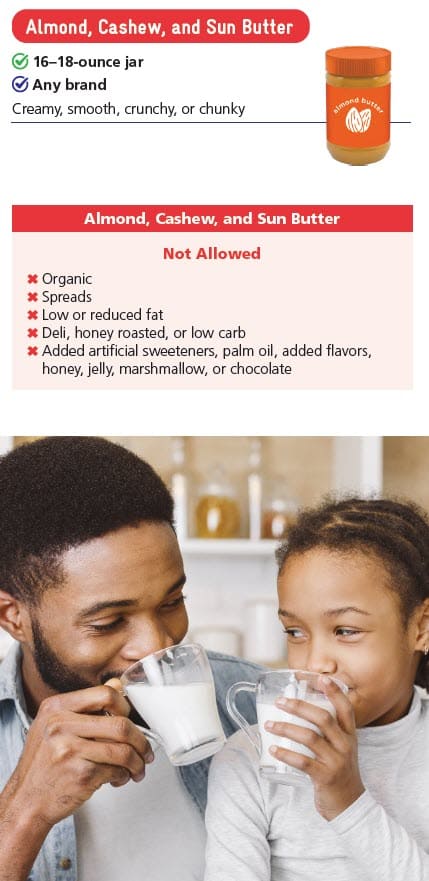
Rights and Rules
Do not sell, return, or receive any refunds for WIC foods, including gift cards, change, rainchecks, or IOUs in exchange for WIC benefits, foods, or formula. If you need to change formula you bought with WIC benefits, call your WIC office.
If you are unable to purchase WIC foods and are not sure why, call us at 1-800-WIC-4321
(1 800-942-4321).
To learn about your rights and rules as a WIC participant, tap here for Rights and Rules
This institution is an equal opportunity provider.