
Kansas WIC has noticed some transactions that have different types of yogurts (whole milk, low or nonfat) in them may not be processing correctly for WIC participants. It may result in the entire transaction being rejected and saying there are no benefits available even though there are.
Where and when does this occur?
Unfortunately, this is not limited to any particular store. Thankfully it is not happening often. This may happen if low fat type yogurts are scanned before whole or nonfat types.
What to Do if You Get an Error at Checkout When Buying Yogurt
If you’re trying to buy your WIC foods and the store says no benefits are available, here’s what you can try:
1. First, buy your other WIC foods
If you have fruits, vegetables, milk, cheese, eggs, or other items, try buying those without the yogurt.
2. Then buy the yogurt in a separate transaction
When you’re ready to buy the yogurt:
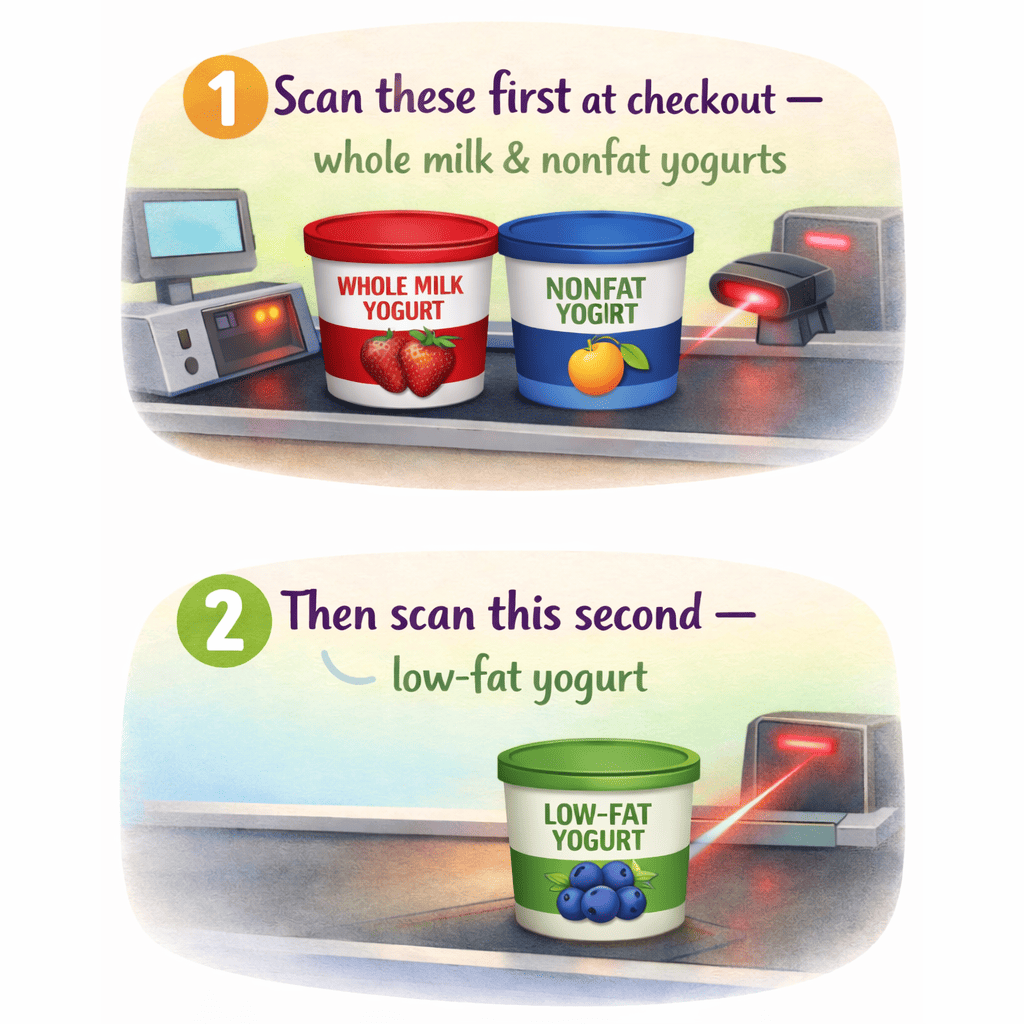
- Scan whole milk or nonfat yogurt first
- Scan low‑fat yogurt last
This order helps the system recognize your benefits correctly.
3. If you have several yogurts
It may help to buy only the yogurts in their own transaction.
We’re working on a fix
This issue is happening in several states, not just Kansas. We’re working with our vendors and the USDA to get it resolved as quickly as possible.